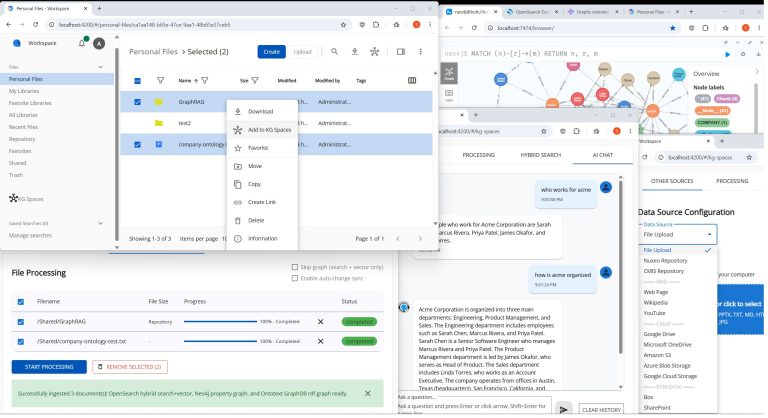
Knowledge graphs auto-generated from your documents, alongside vector and fulltext indexes, provide the context for hybrid search, AI query and AI chat. It works over Alfresco content and other data sources, right inside ACA.
AI context DBs (choose 0 or 1 of each kind): 15 Property Graph (including Neo4j, ArcadeDB, FalkorDB, LadybugDB), 4 RDF, 10 Vector, and OpenSearch or Elasticsearch. Data sources: use any of 14 together, 10 with auto sync.
Highlights: • Built as a separate ACA extension under the Apache 2.0 license • Multi-select any mix of Alfresco files and folders from ACA’s regular file list views • New data sources tab (labeled “Other Sources”) for choosing any other data source Flexible GraphRAG supports • AI context can stay up to date through auto change sync from Alfresco, Nuxeo, SharePoint, Box, Amazon S3, Azure Blob Storage, Google Cloud Storage, Google Drive and OneDrive. File Upload, CMIS, Web Pages, Wikipedia and YouTube can be ingested without auto sync. • Shares the Flexible GraphRAG Angular UI through a public npm package • Can build a Docker image with ACA + kg-spaces-aca
The backend is Flexible GraphRAG v0.8.2+ (flexible-graphrag GitHub: https://github.com/stevereiner/flexible-graphrag), an open source AI context platform. It includes: • Document processing with Docling, LlamaParse or LiteParse • Knowledge graph auto-building, ontologies and schemas • Many LLM providers • GraphRAG and RAG • Hybrid search (fulltext, vector, property graph, RDF/SPARQL) • AI query and AI chat
Coming next: optional support for Hyland OpenArch (Hyland Open AI Ready Content Hub) in both kg-spaces-aca and the Flexible GraphRAG backend.
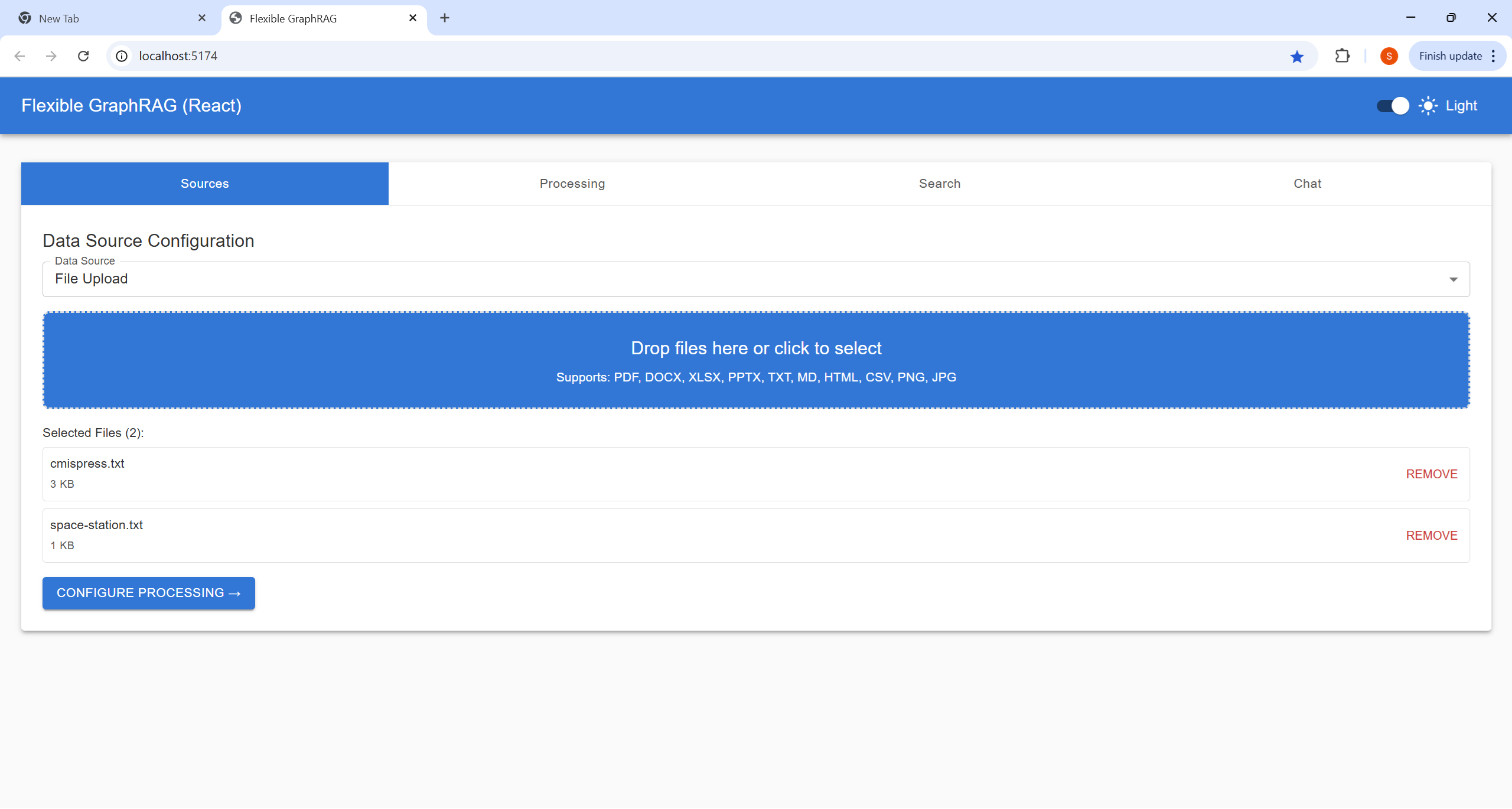
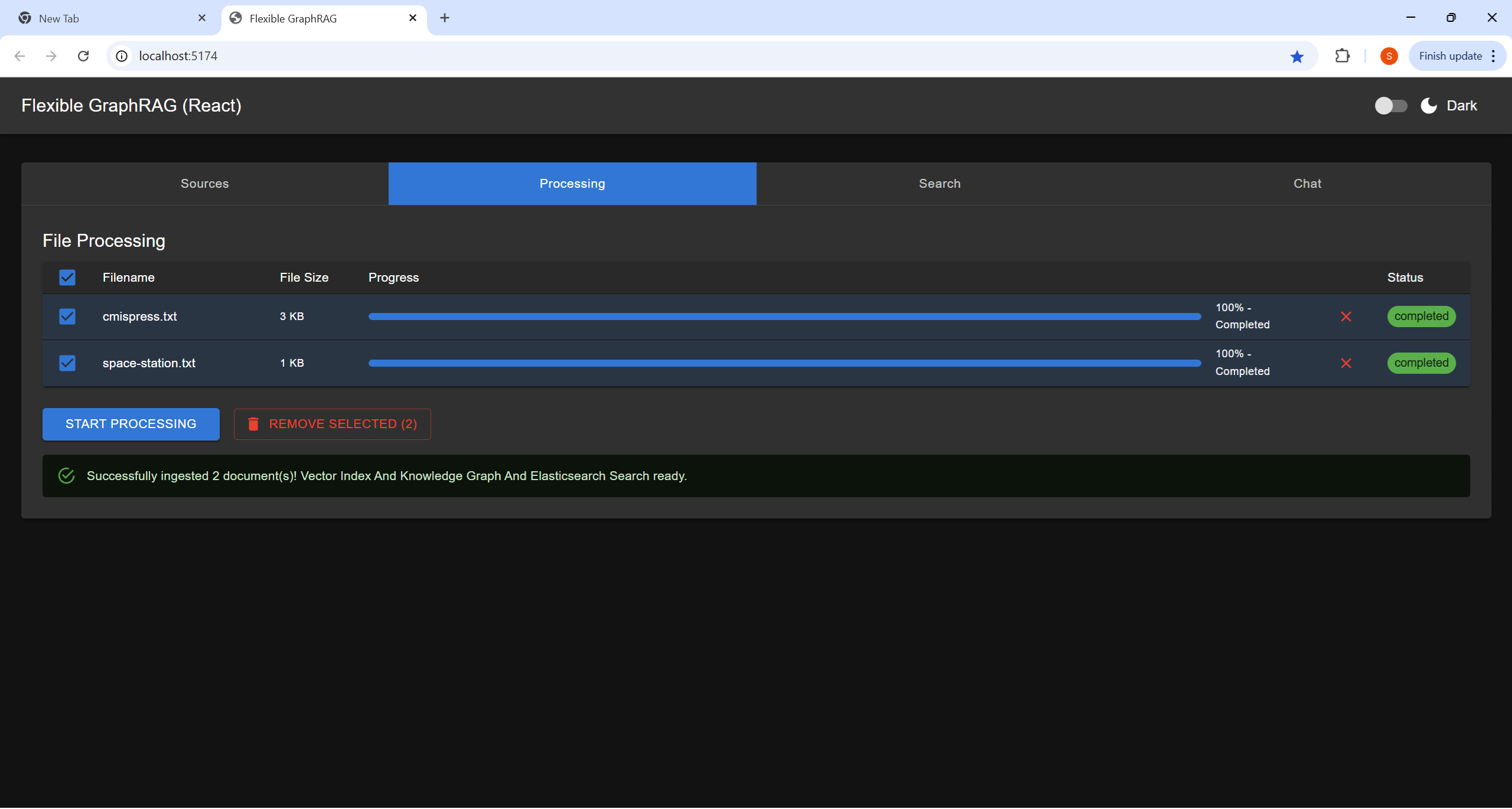
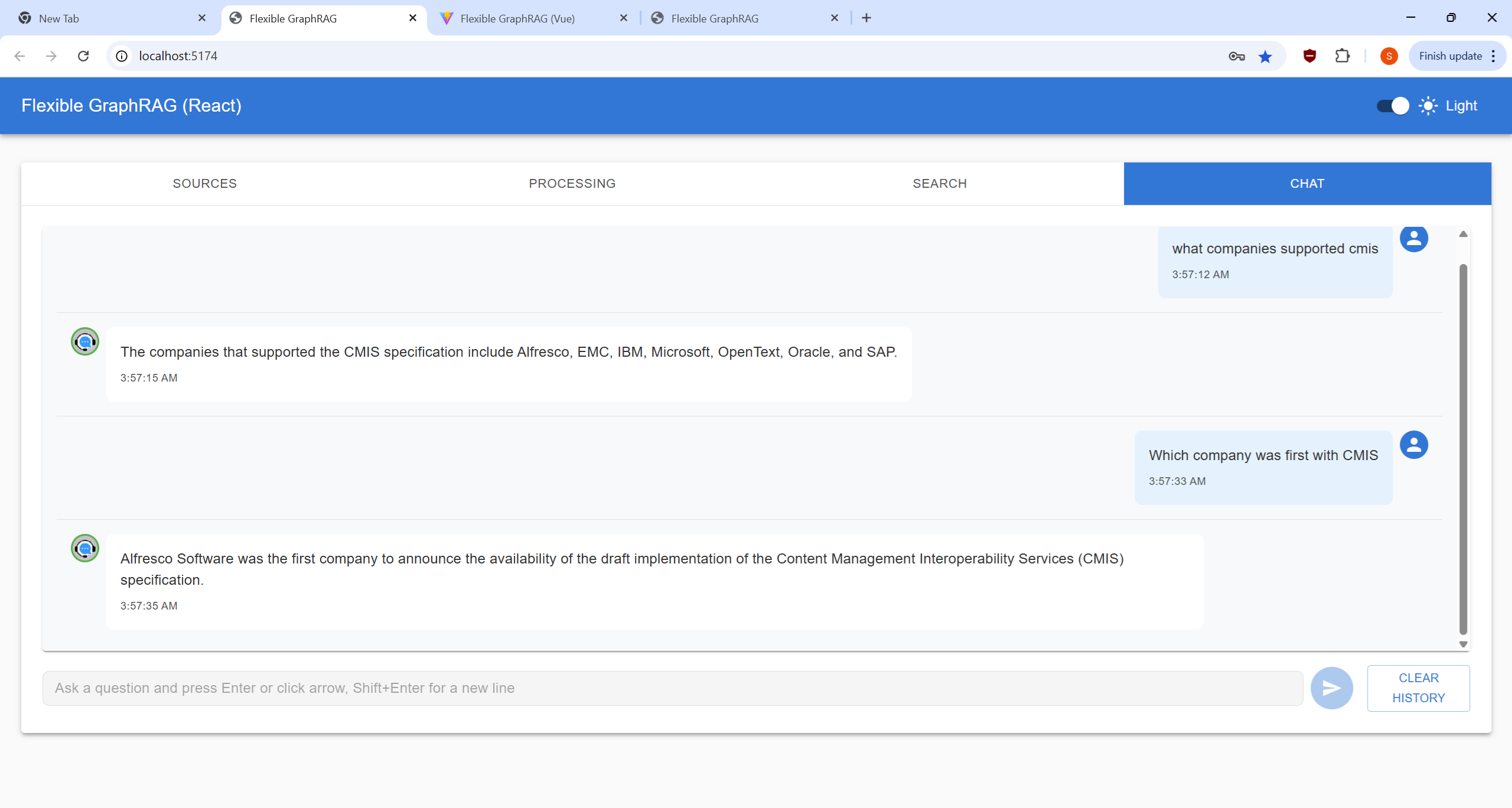
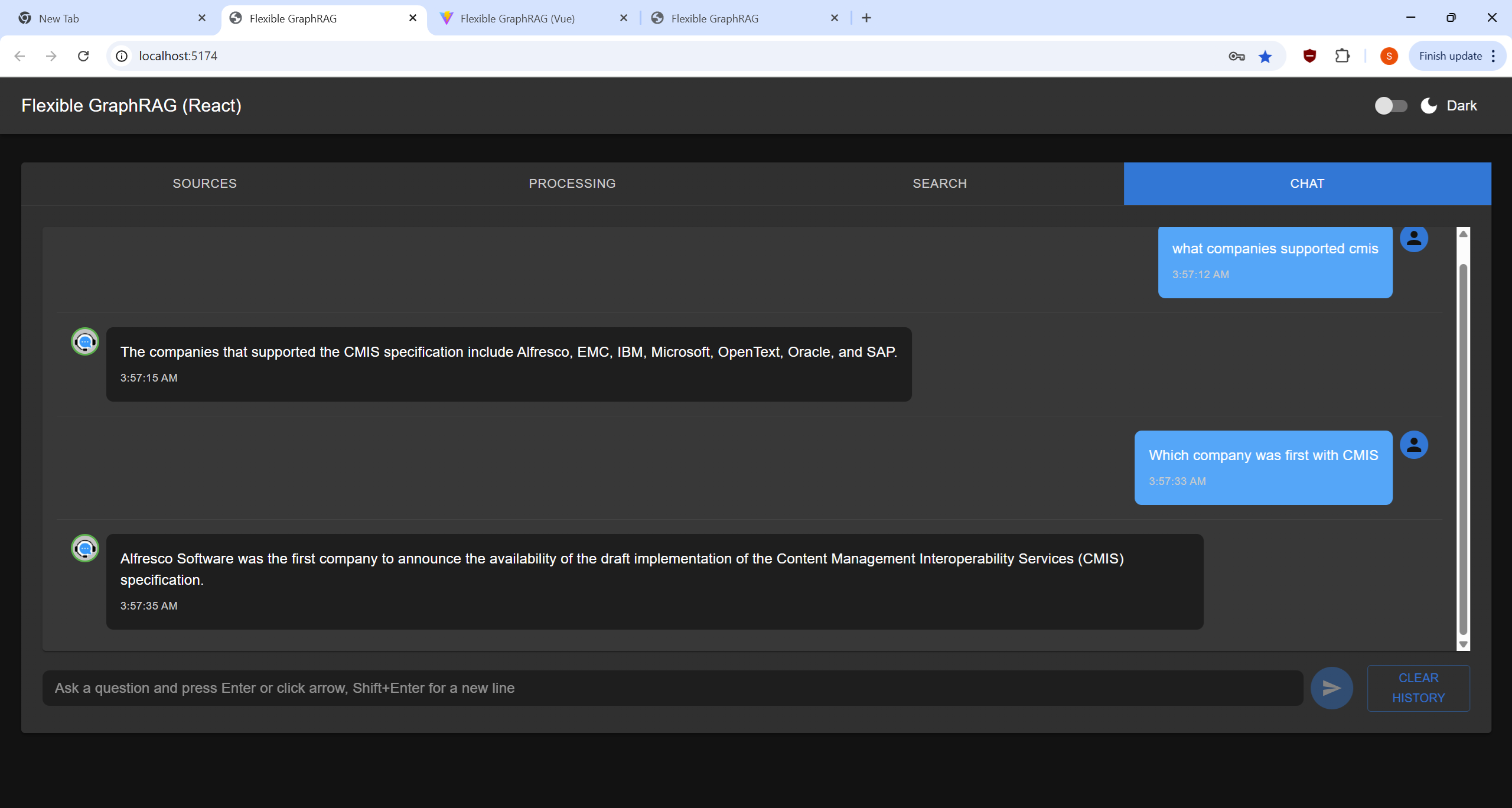
The Angular, React, and Vue frontend clients now have different stages organized into different tabs so they have room. They all can be switched between a dark and light theme using the slider at the top right corner. New functionality beyond the old UI includes a file upload dialog, drag/drop upload, a table with file processing progress bars, and a new Chat UI. Note the github readme.md page has collapse / expand sections to look at screenshots with dark and light themes for React, and only shows the light theme for Angular and Vue.
Sources Tab
Allows you to choose file to upload from the file system, or paths file or folder path in Alfresco or CMIS repositories. For filesystem files you can now use a file upload dialog and drag/drop files onto the drop area in the source tab view.
Here you can modify what files get processed by unselecting / selecting file checkboxes, Remove from processing list by using x a on file row, our use the remove selected button. The click on Start Processing to process selected files. There is an overall progress bar, and per file progress bars. Note currently all files are processed as one batch in the backend, so the file progress bars will be showing the same status. You can cancel processing by using the cancel button
Search Tab
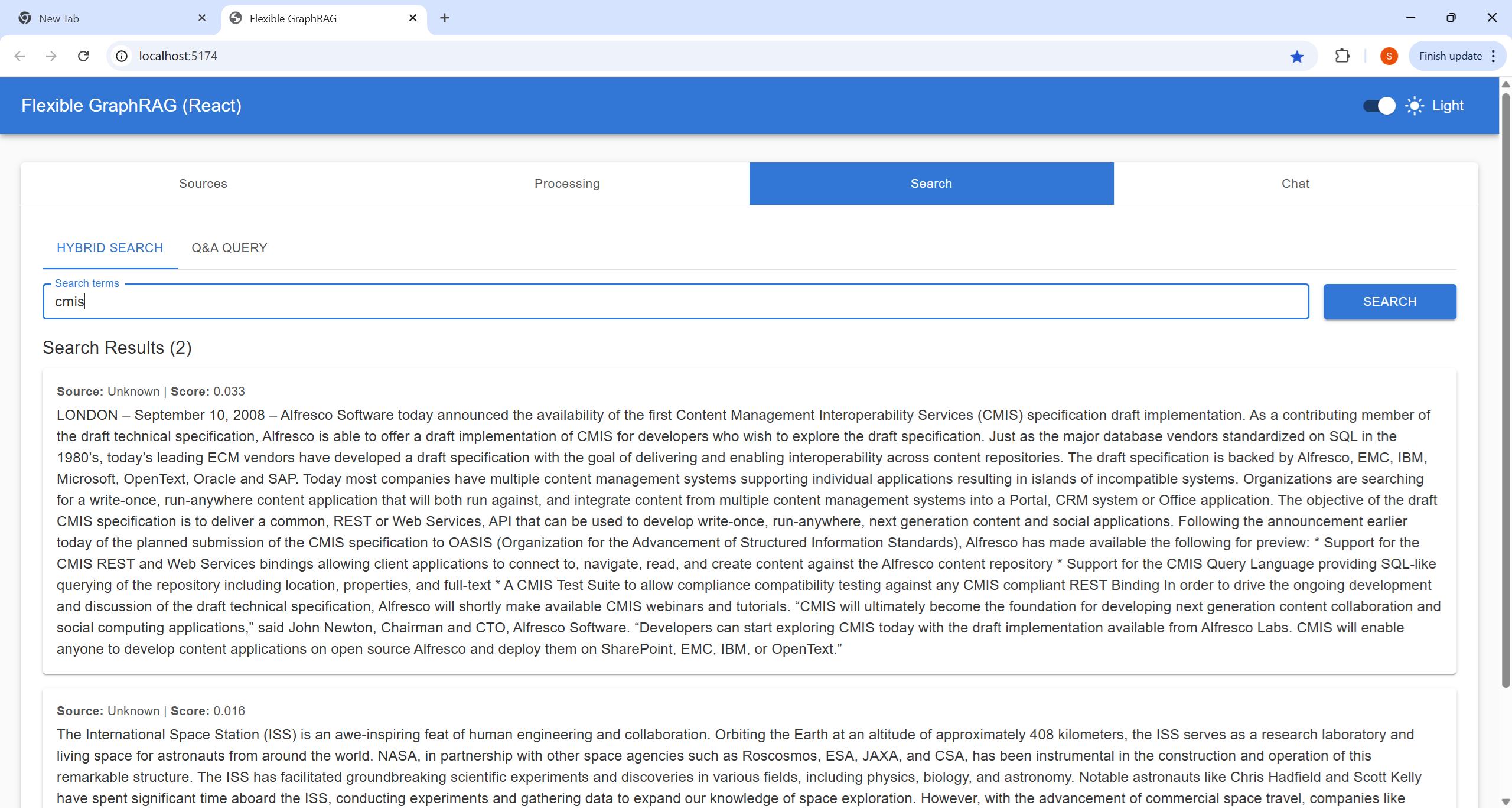
Here you can do a Hybrid Search (Fulltext+Vector RAG+GraphRAG) or (Fulltext+Vector RAG) depending on configuration. This gives you a traditional results list. For now ignore the scores and extra results just check results order.
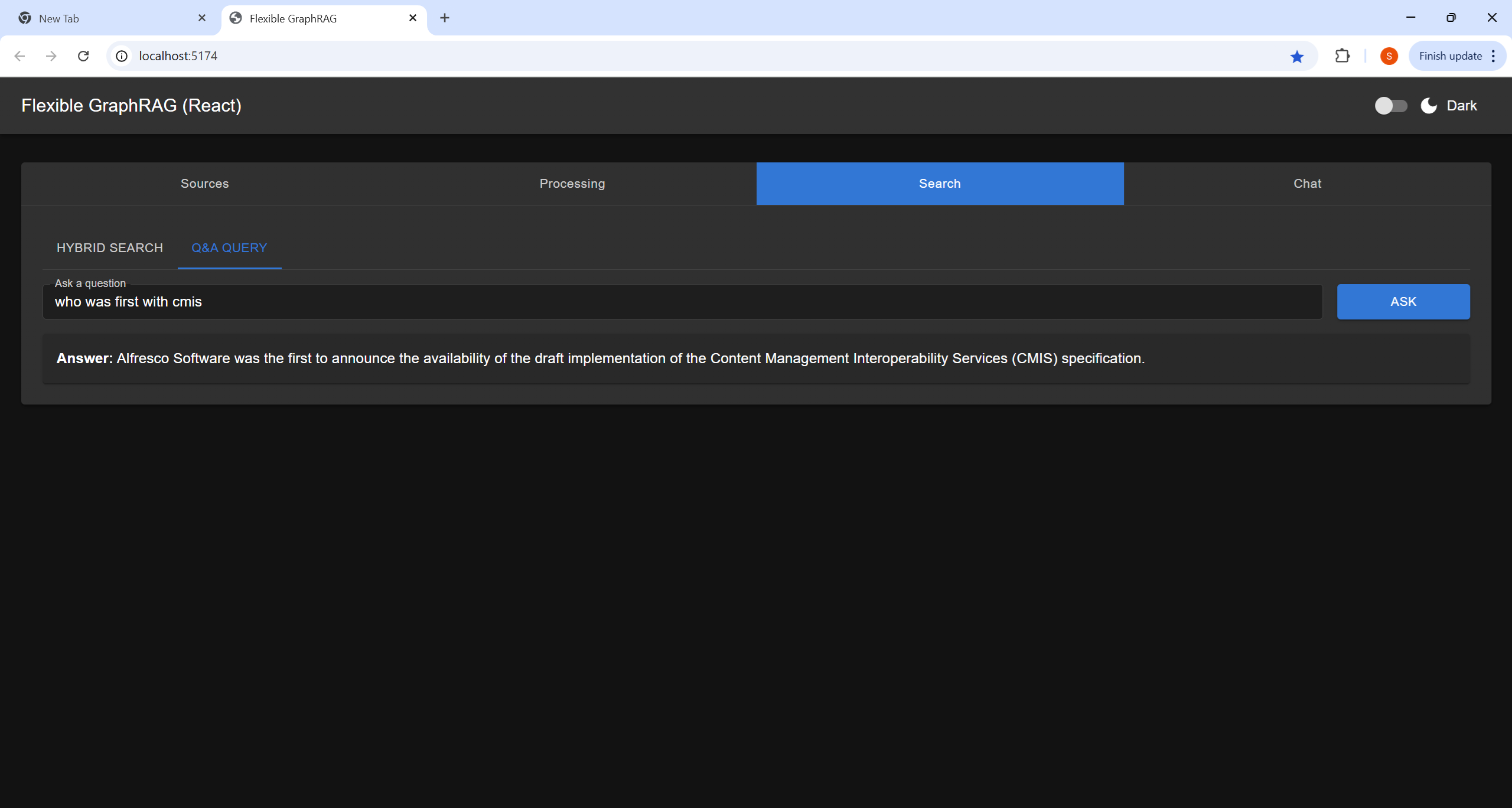
The Q&A Query, Here you ask a question using conversational style (This is an AI query using the configured LLM and the information submitted in the processing tab (and in full text, vector, and graph “memory”)
Chat Tab
This a traditional chat style UI allowing you the enter multiple conversational Q&A queries (AI queries like the one at a time in the Search Tab). You hit enter or click the arrow button to submit a query. You can also use Shift+Enter to get a extra new line for your question. The chat view area displays a history of questions and answers. The you can clear things with the Clear History button
Flexible RAG
I used Flexible RAG in the title to indicate that Flexible GraphRAG can be configured to just be a RAG system. This would still have the flexibility that LlamaIndex abstractions provide to be able to plug in different search engines/databases, vector databases, and LLMs. You still get Angular, React, and Vue frontends, have MCP server support, a FastAPI backend, and Docker support. You could just configure a search engine. You could just configure a Graph database for auto graph building of knowledge graphs using the configurable schema support.
For RAG configuration: Flexible GraphRAG can be setup to do RAG only without the GraphRAG (see env-sample.txt and setup your environment in .env, etc.):
Have SEARCH_DB and SEARCH_DB_CONFIG set for elasticsearch, opensearch, or bm25
Have VECTOR_DB and VECTOR_DB_CONFIG setup for neo4j, qdrant, elasticsearch, or opensearch
Have GRAPH_DB set to none and ENABLE_KNOWLEDGE_GRAPH=false.
Server Monitoring and Management UI
Basically you can use the docker setup and get a docker compose that run all the following at the same time (or a subset by commenting out a compose include) without having to these up individually: Alfresco docker compose (which has Share and ACA), Neo4j docker (which has a console URL), Kuzu API server (not used, used embedded), Kuzu explorer, Qdrant (which has a dashboard), Elasticsearch, Elasticsearch Kibana dashboard, OpenSearch which has a OpenSearch Dashboards URL.
So you can setup a browser window with tabs for all these dashboards, Alfresco Share / ACA, and Neo4J console. This is your monitoring and management UI.
You can uses the Neo4j, Elasticsearch Kibana, Qdrant dashboard, OpenSearch dashboards to delete full text indexes (Elasticsearch, OpenSearch), delete vector indexes (Qdrant, Neo4j, Elasticsearch, OpenSearch) and delete nodes and relationships (Neo4j and Kuzu consoles).