FlexSpaces, CMIS Spaces, and FlexibleShare now LGPL, product plans

January 11th, 2010

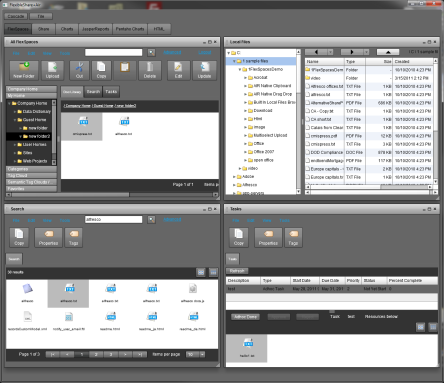
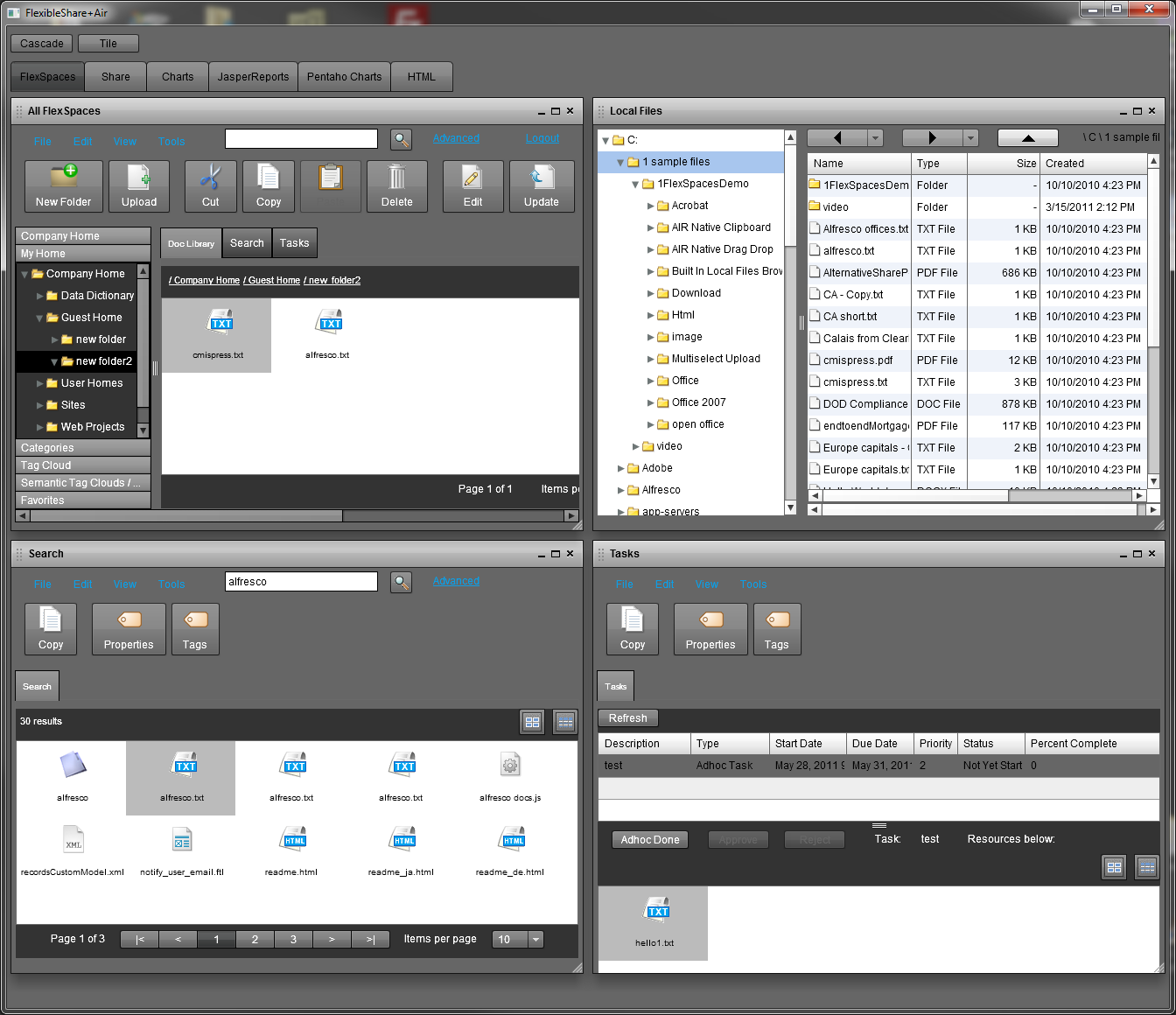
The community versions of FlexSpaces, FlexSpaces portlets, CMIS Spaces, and CMIS Spaces portlets (coming) are now LGPL instead of GPL. FlexSpaces supports both Alfresco and Adobe LiveCycle Content Services ES2LiveCycle Mosaic ES2 tiles for FlexSpaces and CMIS Spaces are also planned. The community version of FlexSpaces has very full featured support for doc management, search,  start workflow, task list (Alfresco only), and some wcm (Alfresco only). It even supports semantic auto-tagging using Calais.

An enterprise version of  FlexSpaces (including portlets, tiles) with a commercial license, support, and additional features will also be available.  An expanded enterprise version of CMIS Spaces (including portlets, tiles) is also in the works.

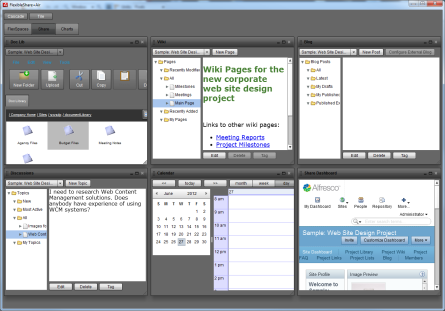
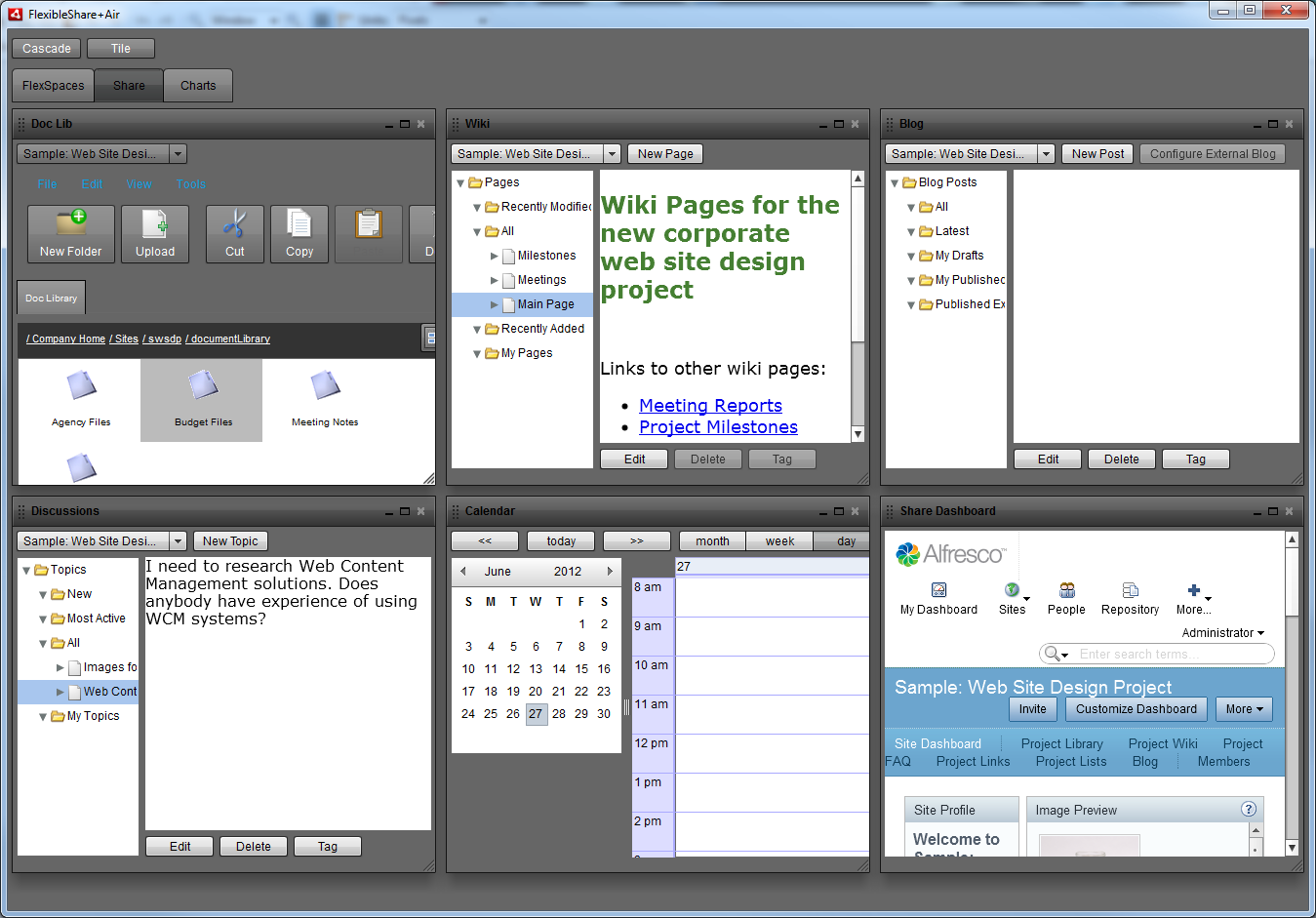
FlexibleShare is now LGPL instead of GPL.  FlexibleDashboard and FlexibleLiferay have been LGPL for awhile. These are in the early stages, experimental. FlexibleShare adds a Flex portal interface around FlexSpaces doc management pods, Flex UI pods for Alfresco share collaboration, and some sample BI/reporting pods. Plan to also add pods for CMIS Spaces into FlexibleShare. FlexibleShare and its base project FlexibleDashboard need to have modularity support added (loading of modules). They need to be flexible.  FlexibleLiferay, a Flex+AIR front end to Liferay, gets its modularity support already from Liferay with each portlet (pure Flex or regular portlet) being a separate war file. FlexibleDashboard needs to have its BI/reporting support expanded beyond samples.

FlexSpaces Alfresco Forge , FlexSpaces Google Code

CMIS Spaces Alfresco Forge , CMIS Spaces Google Code

FlexibleShare Alfresco Forge , FlexibleShare Google Code

FlexibleDashboard Google Code

FlexibleLiferay Google Code

Steve
integratedsemantics.com
twitter.com/stevereiner

Open Source Web Conferencing System with a Flex UI - BigBlueButton

December 8th, 2009

Interesting Project: BigBlueButton open source web conferencing system (with a Flex UI)

BigBlueButton

BigBlueButton.org

BigBlueButton google code project

Although Blindside Networks (who provides commercial support) focuses on the distance learning / higher education market, it looks like it could be a general purpose open source alternative to other products.

iPhone webapp for Adobe LiveCycle Content Services ES2

October 5th, 2009

iPhone web app with LiveCycle ContentServices ES2

After reading about the iPhone app for LiveCycle Workspace ES2 (product page, blog article), I thought I would get something to work with LiveCycle ContentServices ES2. Dr. Yong Qu, who works at Alfresco, created a  sample web script based  Alfresco web app for the iPhone. I got this web app to work with LiveCycle ContentServices ES2. The navigation works, display of some properties works, viewing files works (after one change to a webscript for contentspace), and search works.  (Alfresco 3.2 has an iPhone web app UI for Share. Getting this to work on ES2 would be more involved.)

Two zip files are needed from Yong’s blog page
iui.zip
iphone-navigator.zip

Webscript file changed (in iphone-navigator.zip and rezipped)
on line 362 of org/alfresco/demo/iphone/iPhoneNavigation.get.html.ftl (the line with “Read Document”) change /alfresco to /contentspace

Different steps to install on LC Content Services vs. steps for Alfresco
1. stop “JBoss for Adobe LiveCycle ES2″ service
2. I already had c:\Adobe\Adobe LiveCycle ES2\jboss\server\lc_turnkey\deploy\adobe-contentservices.ear and the contentservices.war inside it exploded
3. copy iui folder (nested in iui folder in iui.zip) to adobe-contentservices.ear\contentservices.war\
4. start “JBoss for Adobe LiveCycle ES2″ service
5. start Contentspace, login as administrator
6. same step as Alfresco to import iphone-navigator.zip file into Data Dictionary/Web Script Extensions/ folder
7. button to refresh webscripts is on http://localhost:8080/contentspace/service/ page
8. You can now run http://localhost:8080/contentspace/service/iphone/navigation in a regular or mobile browser

Notes:
1. This is not iPhone specific so it would work with other smartphones with browsers
2. I used the LC ES2 M3 R3 beta turnkey deploy JBoss / Windows 64 bit
3. Should work with LC Content Services ES (8.2.1). The deploy dir would be different.
4. I used it with an iPod Touch (not an iPhone). Also used with testiphone.com in a regular browser in the screenshot.

Steve

FlexibleDashboard, FlexibleShare, FlexibleLiferay

October 2nd, 2009

FlexibleDashboard+AIR

FlexibleDashboard (new google code project)
1. Has both Flex+Browser and Flex+AIR versions
2. Based on the non doc mgt code from FlexibleShare
3. Based on esria dashboard / adobe flex devnet dashboard sample with added flexmdi cascade/tile (esria pod drag/drop in tile mode)
4. Flex+Browser pods: line, bar, pie charts, form, todo list, JasperReports viewer, Pentaho dashboard, BlazeDS samples, external Flex app SWFLoader, calendar, iframe html (iframe has not hiding issues)
5. Flex+AIR additional pods: webkit HTML, web browser, Google gadgets, Liferay portlets, local files browser

FlexibleShare
1. Now has Flex+Browser in addition to Flex+AIR
2. Adds Alfresco, Alfresco Share, LiveCycle Content Services features to FlexibleDashboard

FlexibleLiferay+AIR

FlexibleLiferay (new google code project)
(Flex+AIR based portal container application for Liferay)
1. Can display regular Liferay portlets (JSR-168, JSR-286, HTML/Ajax etc.)
2. All of Liferay backend, standards it supports can be leveraged
3. Can display Flex portlets (swfs) without html wrapper (no need for special handling of restarting when resize portlet) from within a portlet war
4. Leverage Liferay app catalog to also manage Flex portlets
5. Leverage Liferay security / authentication (ldap, sso, etc.) to also manage Flex portlets
6. Flex portlets can take advantage of AIR specific features (native desktop file drag / drop, native clipboard, local files, offline db)
7. No Flex+Browser version yet due to iframe issues

FlexibleLiferay Implementation:
1. Uses BlazeDS to remote to some Java Apis added via Liferay Ext environment (used Liferay 5.2.3)
2. Built on top of FlexibleDashboard

FlexibleLiferay Implemented:
1. Sign in (Login dialog), Sign out
2. My Places menu
3. Display of tabs for pages in selected place
4. Display of a Liferay pod (uses HTML with Liferay widget) for each portlet in selected page

Flexspaces with Adobe LiveCycle Content Services ES, Calais Integration works with ES2

September 22nd, 2009

FlexSpaces Easier To Use With LiveCycle Content Services ES
I finally updated FlexSpaces  (version 0.931) to not need a recompile for a server URL change with LiveCycle Content Sevices ES (changes to FlexSpacesConfig.xml and to server side services-config.xml still required).

Calais Integration

I tested with LiveCycle ContentSevices ES 8.2.1  and also with the LiveCycle ES2 M3 R3 beta. On ES2, I also tested with the Alfresco Calais Integration and it works fine via the FlexSpaces Calais UI (auto semantic tagging, tag suggestion, google map geo-tagging).  Nice thing about the ES2 installer is it allows you to include custom AMP files. I used the turnkey install, selected the custom option when the Configuration Manager ran.  I had the calaisIntegration.amp release 1.1  in c:\amps.  When the config mgr is deploying content services, check the include custom amps checkbox, and browse to choose c:\amps.

Remaining Problems
Still have two remaining problems with FlexSpaces on LC Content Services.  Get an authentication prompt on upload that can cause the first upload not work on AIR/Windows (on Mac/AIR, Windows/Mac/browser get errors on upload). Alfresco has an alf_ticket URL arg that makes it easy to authenticate with. You can’t use this with LiveCycle ContentServices. You have to use authentication headers. Flex doesn’t let you use  headers with FileReference.upload()   or navigateToURL()   (view a file given an Alfresco download URL).    For navigateToURL, it works other than getting an authentication prompt the first time using file viewing.

For uploading, I think by switching to upload to  /remoting/lcfileupload  instead directly to a webscript url will be the part of the solution. This will get files into the LiveCycle “Repository”.  Just need to get files from there to the LiveCycle Content Services repository.  Unlike this ADC article I don’t want to have to require the LC Process Mgt option. If anybody has some suggested APIs or sample code, let me know. Don’t think there is a work around for the navigateToURL issue.

Details
1. Changed to new up a ChannelSet with channel URLs coming from the FlexSpaceConfig.xml Spring ActionScript file instead of compiling in a services-config.xml.
2. See doc\livecycle\readmeLiveCycleContentServices.txt for FlexSpacesConfig.xml LC CS specific changes, and server side services-config.xml changes still required.
3. Note FlexSpaces needs its FlexSpacesConfig.xml configured with a Calais key and a Google Map api key to get UI for the Calais Integration enabled (see doc\flexspacesAir\readmeFlexSpacesForAIR.txt)
4. For instructions on adding an amp to an existing install (of 8.2.1, dir name, deploy areas different on ES2) see Dr Flex & Dr LiveCycle. (Haven’t tried the Calais Integration on LC CS 8.2.1. It should work since it works with Alfresco 2.1).

Both a FlexSpaces/Alfresco Gadget and Portlet for the GateIn Portal

September 11th, 2009

FlexSpaces Gadget on GateIn gadget dashboard

I recently added both a FlexSpaces/Alfresco Gadget (Google) and a Portlet for the new GateIn (eXo+JBoss) Portal. See Alfresco Forge for downloads, Google Code  for source.  See previous posts on other portlets ( Liferay Portal portletJBoss Portal portlet).

The gadget and the portlet  work on both app server versions (Tomcat, JBoss AS) of the GateIn beta1. (I had to add a tld file to get the portlet to work on JBoss).

The gadget can be used on dashboard layouts. The portlet can be used in other layouts. In the screenshot, the FlexSpaces gadget is maximized, so it doesn’t look like the usual gadget layout. The beta1 seemed to not allow saving an edit to change from a 3 column to a 1 or 2 column. (FlexSpaces can made to take up less space by setting the show header area preference to false, and hiding the tree with the show / tree menu). Also the beta1 didn’t display default values for the FlexSpaces gadget when the edit UI mode is used, so editng the gadget xml is easier (This is only on gadgets, regular portet preferences UI edit mode was fine).

See the readmes in the flexspaces-gadget.zip file and the flexspacesGateInPortlet.zip file for setup instructions.

JBoss Portal Portlet for FlexSpaces/Alfresco

September 7th, 2009

 FlexSpaces JBoss Portal portlet

In addition to a Liferay portlet, I recently added a JBoss Portal portlet for FlexSpaces (Alfresco Forge, Google Code).  See previous post about the Liferay portlet since some of the same things apply (setting up two app servers, pointers to SSO info, etc.).

How to setup:
1. Install Alfresco community or enterprise (I used Alfresco 3.2 community bundled with Tomcat)
2. Start alfresco user admin pw admin, install flexspaces 0.91+ webscripts, see readmeWebScripts.txt
3. shutdown Alfresco
4. Install a JBoss Portal community or enterprise (I used 2.7.2 community bundled with a 4.2.3 JBoss app server)
5. Change port 8080 to 9080 and port 8009 to 9009 in jboss-portal-2.7.2/server/default/deploy/jboss-web.deployer/server.xml
to not conflict with ports in alfresco running in a separate app server
6. Copy flexspaces-jboss-portlet.war to jboss-portal-2.7.2/server/default/deploy/
7. start jboss portal with jboss-portal-2.7.2\bin\run.bat
8. run http://localhost:9080/portal and log in with admin/admin (so portlet edit UI will be enabled)
9. startup alfresco
10. in jboss portal switch to FlexSpaces tab, click on “Edit” on the flexspaces portlet and setup alfresco url  if needed and other options and click update.
11. log into FlexSpaces portlet (admin/admin or other user/pw)

JBoss+eXo GateIn Portal (See GateIn website)
I tried the FlexSpaces JBoss portlet with the beta1 of GateIn and it didn’t work. I am looking into creating a FlexSpaces portlet and a gadget for this new portal)

Steve

Liferay portlet for FlexSpaces

August 30th, 2009

FlexSpaces Liferay portletFlexSpaces Liferay portlet config

FlexSpaces 0.93 was recent released (Alfresco Forge, Google Code).  This now includes a Liferay portlet (runs FlexSpaces inside a portlet), fixes progress bar color in new styling/skinning from 0.92, adds short-term state save for portlet resize / browser refresh (config only enabled in portlet pkg), adds additional parms/flashvars to support config in portlet preferences dialogs, adds parms to enable adding sso.  A JBoss Portal portlet will be available later. Also will have portlets for CMIS Spaces.

The Liferay portlet is also available from the Liferay website community plugins download area and also from within Liferay itself: Add Application / Install More Applications (use refresh button at bottom to refresh plugin list)  (Note: installing the integratedsemantics.zip web scripts in Alfresco is still required, see readmeWebScripts.txt)

The FlexSpaces Liferay portlet configuration UI allows setting what views to show (doclib, search, tasks, wcm) and the Alfresco web script URL.

This portlet was developed/tested with Liferay 5.2.3 and Alfresco 3.2 running in separate Tomcats. Running Liferay and Alfresco in separate Tomcats is recommended (easier, can switch to new versions independently, and is more scalable). To adapt the FlexSpaces portlet to Liferay 5.1.x, etc. look at the source inside the Liferay Flash portlet war for your version of Liferay and adapt the jsps (different dtds) and  maybe the java file of the FlexSpaces portlet.

How to setup:
1. Install Alfresco enterprise or community
2. Start alfresco user admin pw admin, install flexspaces 0.91+ webscripts, see readmeWebScripts.txt
3. Install a separate Liferay 5.2.x tomcat bundle from liferay.com
4. I changed all the ports in <liferay>/<tomcat>/conf/server.xml to start with 9 instead of 8 (8005->9005, 8080->9080 twice, 8009->9009) to not conflict with tomcat running alfresco
5. Start liferay tomcat and login bruno@7cogs.com (password: bruno)
6. Within Liferay install the FlexSpaces portlet: Add Application / Install More Applications (use refresh button at bottom to refresh plugin list) and click add on FlexSpaces item from the Alfresco or Flex category
7. Configure the portlet in its configuration UI to have the views wanted and for your Alfresco web script URL (may need different host,port), and save.
8. Login to the FlexSpaces portlet (user: admin, pw: admin)
9. The FlexSpaces portlet also works with LiveCycle Content Services ES:
a. in the portlet configuration UI set the Alfresco webscript URL in to http://localhost:8080/contentspace/service and set show tasks to false
b. in FlexSpacesConfig.xml set is LiveCycleContentServices to true, serverVersion to 2.1 for LC 8.2.1, and set useSessionData to false (need to do some more work to get the short term state save to work with LC CS, and avoid the re-login on portlet resize)

Haven’t tried using SSO approaches yet:
1. Rivet Logic STAr (Secure Token Authentication rivet amp for Alfresco) used with AWPr
2. Jonas Yuan / Cignex LDAP ADS and SSO CAS  and also blog post on a combined install
3. Sourcesense Alfresco OpenSSO integration
Other references
1. Luis Sala’s portlet dev wiki page and blog
2. Jeff Pott’s blog

Steve

Updated the look of FlexSpaces, CMIS Spaces, and FlexibleShare

August 9th, 2009

I released new builds of FlexSpaces, CMIS Spaces,  and FlexibleShare. These have a new ‘look” (with added skinning of menus/tabs,  and expanded/changed style files):

FlexSpaces 0.92

FlexSpaces+AIR 0.92 ( Alfresco Forge , Google Code )  (Tested with Alfresco 3.2, Adobe LiveCycle Content Services ES 8.2.1)

CMIS Spaces build 8

CMIS Spaces +AIR build 8 ( Alfresco Forge , Google Code ) (Tested with Alfresco 3.2)
Note: CMIS Spaces build 8 is for the CMIS 0.61 spec. I will do a new build soon for the CMIS 0.62 spec.

FlexibleShare build 2

FlexibleShare +AIR build 2 ( Alfresco Forge , Google Code ) (Tested with Alfresco 3.2, Adobe LiveCycle Content Services ES 8.2.1)

Alfresco International Contributor of the Year Award

June 3rd, 2009

Alfresco Announces Winners of Annual Partner & Community Awards

Thanks Alfresco for the International Contributor (Community) of the Year Award!

Steve Reiner
Integrated Semantics
www.integratedsemantics.org
www.integratedsemantics.com
www.twitter.com/stevereiner